
A Computer Built Around the Workload
Standard retail computers are the right choice for many everyday users, but they are not always the best fit for specialized or demanding workloads.
A custom desktop gives greater control over the processor, memory, graphics, storage, cooling, power supply, case, and other components that affect how the system performs and how easily it can be upgraded later.
Computer Ties focuses on building the system around its intended use rather than simply selecting expensive components.
Types of Custom Computers We Build
Different workloads place very different demands on a computer. Understanding that workload is the starting point for every custom build.
Custom Gaming Computers
Gaming systems can be designed around the games you play, monitor resolution, desired performance, graphics requirements, storage needs, and future upgrade plans.
A well-balanced gaming computer should avoid overspending in areas that provide little real-world benefit while still leaving enough performance for the intended games.
CAD & Design Workstations
CAD, modeling, design, and other professional applications may benefit from stronger processors, dedicated graphics, additional memory, fast storage, and specific hardware requirements.
Computer Ties considers the actual applications being used when planning the system.
Custom Business Desktops
Some business users need more than a standard office computer.
Custom business systems can be built around heavy multitasking, multi-monitor environments, accounting or estimating software, specialized applications, additional storage, stronger performance, or improved upgrade flexibility.
Performance-Focused Home Computers
Home users may need additional performance for media work, multitasking, hobbies, storage-intensive applications, or other workloads that exceed what a basic retail computer provides.
A custom build can provide a better match without automatically becoming a high-end gaming system.
Storage & Expansion-Focused Systems
Some users place a higher priority on storage capacity, additional drives, memory expansion, or future hardware upgrades.
Computer Ties can plan the motherboard, case, power supply, and other components around those requirements.
Why Choose a Custom Desktop?
The main advantage of a custom computer is control over the components and priorities that actually matter.
A custom system can be designed around performance, reliability, expandability, and intended use rather than being limited to whatever configuration happens to be available from a retailer.
Better Performance Alignment
Processor, memory, graphics, and storage can be selected according to the workload instead of relying on broad labels such as “gaming” or “business.”
This can help prevent both underpowered systems and unnecessary spending.
Greater Upgrade Flexibility
A properly planned desktop can leave room for future storage, memory, graphics, or other component upgrades.
That flexibility can extend the practical life of the system.
More Control Over Components
Custom systems provide more control over items such as power supplies, cooling, storage, cases, motherboards, and other components that may receive less attention in lower-cost retail systems.
Local Support
Computer Ties understands how the system was built, which components were selected, and what the computer was intended to do.
That provides a local support path if the system later needs service, troubleshooting, or upgrades.
How the Custom Build Process Works
A custom computer should begin with requirements rather than a parts list.
Step 1: Define the Workload
We start by understanding what applications, games, workloads, monitors, and other equipment the computer needs to support.
Step 2: Establish Performance & Budget Goals
Computer Ties discusses the expected performance, storage, graphics requirements, upgrade plans, and available budget.
This helps define where additional spending provides meaningful value and where it does not.
Step 3: Plan the Components
We recommend a configuration designed around the intended use and practical requirements of the system.
The objective is a balanced computer rather than simply selecting the highest specifications available.
Step 4: Build & Prepare the Computer
Once the configuration is approved, Computer Ties assembles the desktop and completes the applicable setup and testing.
Step 5: Prepare for Use
Depending on the customer and scope, the next steps may include software installation, data transfer, business-device configuration, or assistance replacing an existing system.
Custom Computers for Business Use
A custom desktop can make sense when a business user has requirements that standard office computers do not address well.
This may include CAD workstations, multi-monitor systems, high-performance office users, specialized business applications, large local storage requirements, or computers intended for workloads that demand more sustained performance.
Business systems can also be coordinated with Device Setup & Deployment when the computer needs to be prepared for an employee or organizational environment.
Gaming PCs & Personal Systems
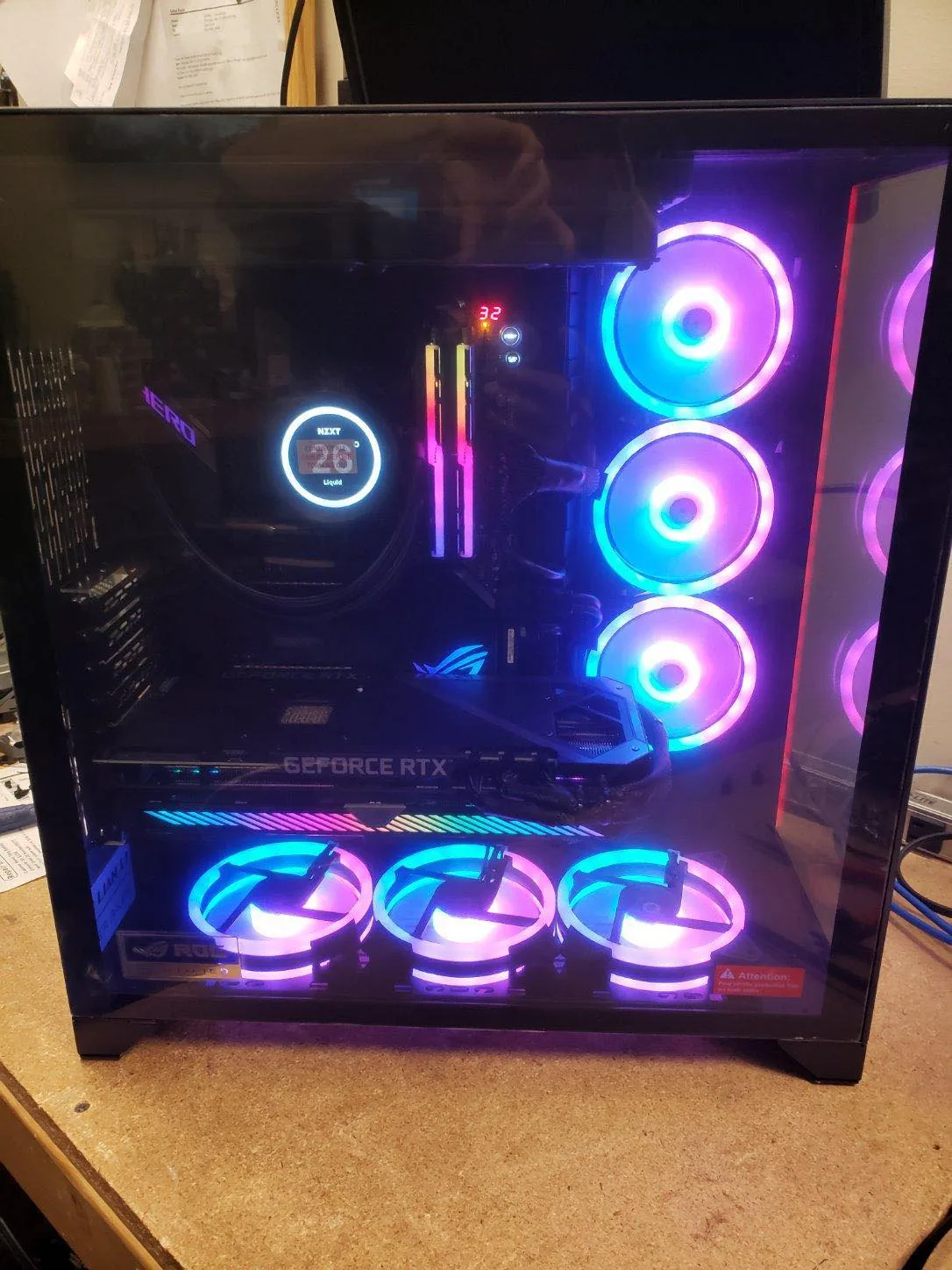
Computer Ties also builds custom desktops for gaming and personal use.
Gaming builds can be planned around the games being played, resolution, graphics expectations, cooling, storage, appearance preferences, and future upgrade plans.
The objective is not automatically to build the most expensive possible computer. It is to build a system that provides the right level of performance for what the customer actually wants to do.
When a Custom Computer Is Not Necessary
Not every customer benefits from a custom desktop.
Someone who needs basic web browsing, email, Microsoft Office, or ordinary business applications may be better served by a standard commercial workstation or laptop.
Likewise, customers who specifically need portability should usually consider a laptop rather than trying to force a desktop-style custom solution into a mobile use case.
Computer Ties can help determine whether customization provides enough practical value to justify the additional planning and cost.
Frequently Asked Questions
Computer Ties builds custom desktop systems for gaming, CAD and design, business use, high-performance daily work, storage-intensive applications, and other specialized needs.
The configuration depends on the workload and customer requirements.
Generally, no.
Laptop designs are highly manufacturer-specific and do not offer the same component flexibility as desktop computers.
If portability is required, Computer Ties can help discuss appropriate commercially manufactured laptop options instead.
Yes.
Gaming systems can be planned around the games being played, monitor resolution, graphics expectations, storage needs, budget, and future upgrade goals.
Yes.
CAD and design workstations can be configured around the specific software, processor requirements, graphics needs, memory, storage, and other workload considerations.
No.
A custom computer simply allows the system to be planned around the user.
Some builds are high performance, while others are relatively straightforward systems designed for reliability, storage, expansion, or a specific business purpose.
No.
Retail computers can be an excellent choice when their specifications and design fit the customer’s needs.
Custom systems make the most sense when additional control over performance, components, reliability, storage, or upgrade flexibility provides meaningful value.
In many situations, yes.
Data-transfer options depend on the condition of the old computer and storage device, the amount of data involved, and the scope of the new-system setup.

Ready to Build a Better-Fit Desktop?
If a standard retail computer does not match your performance, storage, graphics, reliability, or upgrade requirements, Computer Ties can help determine whether a custom desktop is the right fit and plan a configuration around how you will actually use it.