
Business Computer Setup
Device setup and deployment covers the work required to prepare a new or replacement computer for actual business use.
Depending on the organization and device, setup may include:
Windows setup and configuration
User-profile preparation
Business software installation
Microsoft 365 account connection
Outlook and email setup
Printer and scanner connections
Shared folders and network resources
Updates and basic security configuration
Browser and default-application settings
Monitors, docks, keyboards, and other peripherals
Data-transfer planning
Final testing before handoff
The exact configuration depends on the user, organization, applications, and existing technology environment.
When Device Deployment Is Useful
Businesses commonly need deployment assistance when adding employees, replacing aging computers, refreshing multiple workstations, opening or expanding an office, or trying to standardize devices that have been configured differently over time.
A planned deployment can help reduce avoidable problems after the computer reaches the user and make future support easier.
New Employee Workstations
A new employee may need a computer, Microsoft 365 access, email, business applications, printers, shared resources, and peripherals prepared before beginning work.
Computer Ties can help coordinate those requirements so the workstation is more complete at handoff.
Replacement Computers
Replacing an aging or unreliable computer often requires more than moving files.
Applications, account access, printers, user settings, shared resources, and other workflow requirements should be reviewed before the old device is removed from service.
Multiple-Device Rollouts
When several computers are being deployed at once, consistent configuration becomes more important.
Computer Ties can help prepare devices using a common approach so users receive a more predictable setup and future troubleshooting is easier.
How Device Setup Works
A successful deployment starts by understanding what the user actually needs before configuring the computer.
Step 1: Review the Requirements
We identify the user, intended purpose of the device, required applications, accounts, peripherals, shared resources, and whether an existing computer is being replaced.
Step 2: Configure the Device
Computer Ties completes the applicable setup work, installs required software, connects accounts and resources, applies updates, and prepares the workstation for use.
Step 3: Test and Document
Before handoff, key functions are reviewed and important business-device information can be documented to make future support and replacement planning easier.
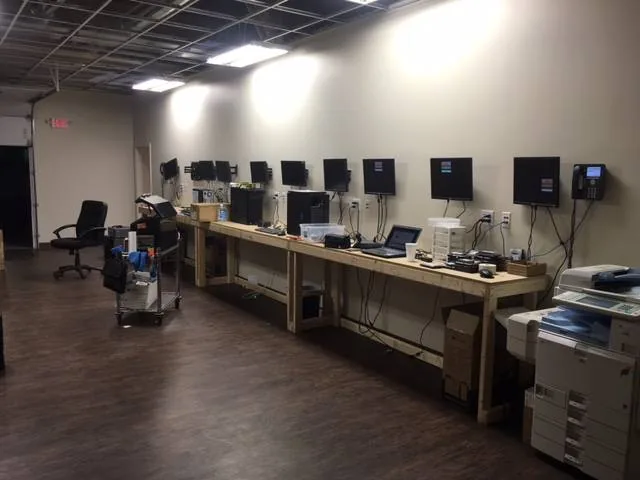
Device Setup and Microsoft 365
Microsoft 365 is often part of preparing a new business computer, but Microsoft 365 administration can extend beyond an individual workstation.
Computer Ties can assist with connecting supported Microsoft 365 accounts, Outlook, email, and other services during device setup.
Organizations that need broader help with licensing, tenant administration, account management, migrations, or ongoing Microsoft cloud support should use our dedicated Microsoft 365 services.
Device Deployment vs. Managed IT
Device setup is a defined service focused on preparing computers and users for work.
Managed IT Services provide a broader ongoing support structure that can include device management, Help Desk Support, patching, documentation, backups, security services, maintenance, and long-term technology planning.
A business does not need a Managed IT agreement simply to have Computer Ties prepare new or replacement computers.
Organizations that need recurring support across multiple users and devices can explore Managed IT Services.
Frequently Asked Questions
Yes.
Computer Ties can help prepare new business desktops and laptops with the accounts, applications, Microsoft 365 access, printers, peripherals, updates, and other configuration needed for the user.
Yes.
We can help review what the existing user needs and prepare the replacement computer with the appropriate applications, accounts, access, peripherals, and other configuration.
Data-transfer options depend on the condition of the old system and the scope of the project.
Yes.
Computer Ties can assist with multi-device deployments for office refreshes, new employees, department upgrades, expansions, and other planned rollouts.
Consistent setup becomes especially useful when several users or devices are involved.
Microsoft 365 account connection and basic workstation configuration can be part of device setup when applicable.
Broader licensing, tenant administration, migration, and Microsoft 365 management are handled through Microsoft 365 Services.
In many situations, yes.
The available options depend on the condition of the old computer, storage device, amount of data, and what needs to be moved.
Data-transfer requirements should be discussed before the replacement device is prepared.
No.
Device setup is focused on preparing specific computers and users.
Managed IT Services provide ongoing support and technology management across the organization.

Need New Business Computers Set Up?
Whether you are preparing a workstation for a new employee, replacing an aging computer, or deploying several devices across your organization, Computer Ties can help create a cleaner and more consistent setup process.